Resumaker started as a tiny command-line tool: point it at a JSON file, a Go template, and a stylesheet, and it produced a clean one-page resume. That was enough for a while. Then I wanted to publish the code, and the data became the problem. The resume JSON was sitting in the repository, along with every change to my contact details and work history.
I removed it from the git history. The better fix was to stop keeping the resume in the repository at all. Resumaker became a small Go web app: an account can hold several resume versions, edit them in the browser, and print them to PDF without any server-side rendering pipeline.
From a script to a service
The web app is deliberately unexciting: Go's standard library for HTTP, pgx for
Postgres, golang.org/x/oauth2 for GitHub and Google sign-in, and server-rendered
HTML with Bootstrap. There is no SPA and no build step for the frontend.
Sessions are random tokens stored as hashes in Postgres. OAuth accounts are keyed by the provider's user ID rather than email address, so two providers can never end up sharing an account by accident. Resume content lives in encrypted revisions, which gives the app a simple history model: every save creates a new revision, and the latest one is what the editor loads.
Keeping the data encrypted
The encryption is envelope encryption. Each user gets a random 32-byte data key. That key is wrapped by the server's master key and stored with the account. Each resume revision is encrypted with the user's data key using AES-256-GCM.
The revision ID is used as associated data, so a ciphertext only decrypts under the row it was written to. Moving a revision to another resume, or swapping two revisions, makes decryption fail. The master key stays in the service environment; losing it means losing access to every stored resume, which is the trade-off that makes the design worth it.
Deleting the render pipeline
The first version of the web app had a render queue. Saving a resume enqueued a job, a separate worker claimed it, launched headless Chrome, printed the HTML to PDF, encrypted the PDF, and stored it for download. It worked, and it was a lot of machinery: a worker process, a job table, Chrome availability, timeouts, sandboxing, and encrypted artifacts to clean up.
Then I remembered that every browser already has a print dialog. The preview page is a self-contained HTML document with a print stylesheet. The user presses the print button, chooses "Save as PDF", and gets a better result than the headless pipeline produced. The whole queue, worker, Chrome dependency, and artifact storage disappeared. The change deleted about 1,200 lines and added 200.
The important part is CSS:
@page {
  size: letter;
  margin: 0.42in;
}

@media print {
  .print-toolbar {
    display: none;
  }
}
Page size, margins, and break avoidance live in the same stylesheet as the screen layout. The browser does the part it is already good at, and the server only has to render HTML.
Editing without a JSON textarea
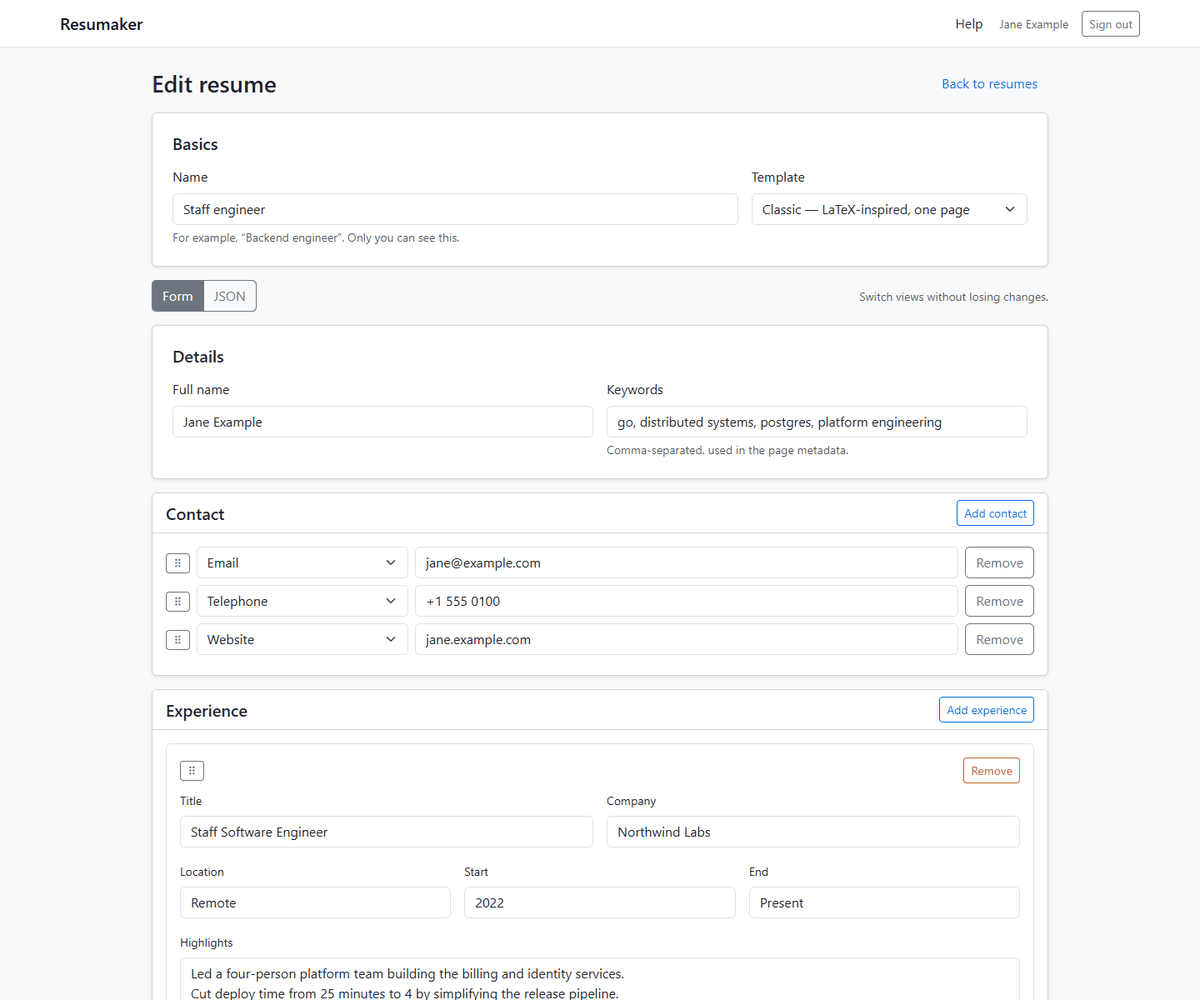
The first editor was just a textarea containing the resume JSON. It was honest, but it was not a good way to edit a resume. The current editor is a structured form with sections for contact details, experience, education, and skills. Rows can be dragged to reorder them, and repeated sections can be added or removed without a round trip.
A toggle switches between the form and the raw JSON. The two views stay in sync: switching to JSON serializes the current form values, and switching back parses the JSON into rows. If the JSON is invalid or contains fields the form cannot represent, the editor keeps the JSON view open and shows an error instead of quietly dropping data. The server treats whichever view was submitted as the source of truth.
The resume list has the utilities I kept reaching for: preview and print, duplicate a version to make a variant, and delete with a confirmation dialog.
Five ways to look serious
Resume templates are where the project gets to have some fun. Resumaker ships with five styles:
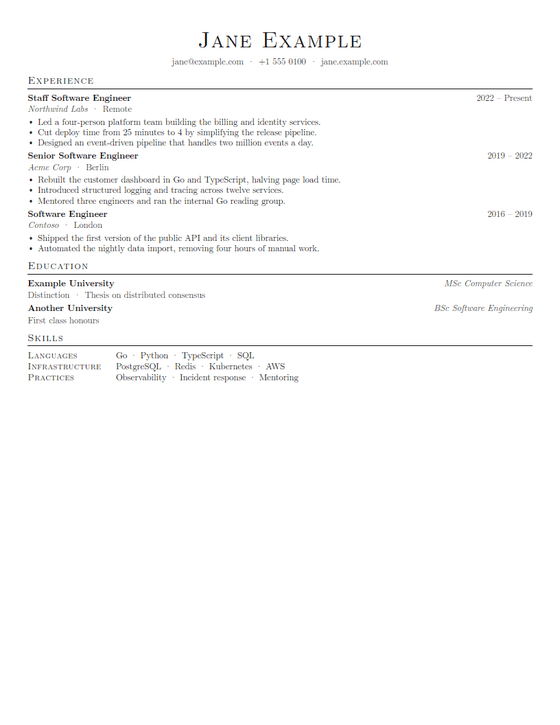
- Classic is the original LaTeX-inspired one-pager.
- Modern is a clean sans-serif layout with a teal accent.
- Sidebar puts skills and education in a tinted rail.
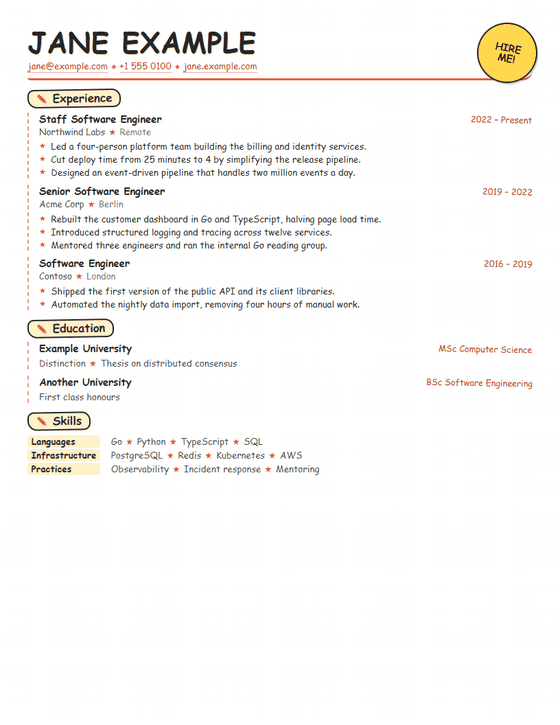
- Comic is a wholehearted Comic Sans homage, complete with a HIRE ME sticker.
- Dingbats is the Wingdings-adjacent option: black section bars and symbol decorations, but the words stay readable.
| Classic | Comic |
|---|---|
 |  |
The rest are on the project page.
Deployment
The app is deployed with an Ansible playbook. It cross-compiles the Go binary on the controller, installs PostgreSQL and nginx on the host, creates the database and role, deploys a hardened systemd unit, and obtains a Let's Encrypt certificate through the webroot challenge. Updating is a re-run of the playbook.
That is a lot of words for "a small app", but most of it is one-time setup. The service itself is a static binary, a database, and a reverse proxy.
What I'd add next
The obvious next features are custom template uploads, key rotation, and cleanup jobs for old revisions. Custom templates are the ones I actually want, but they need a real sandbox before I am comfortable running arbitrary template code next to other users' data.
For now, Resumaker does the small thing it was supposed to do: keep a few versions of a resume, keep them encrypted, and make printing one painless.